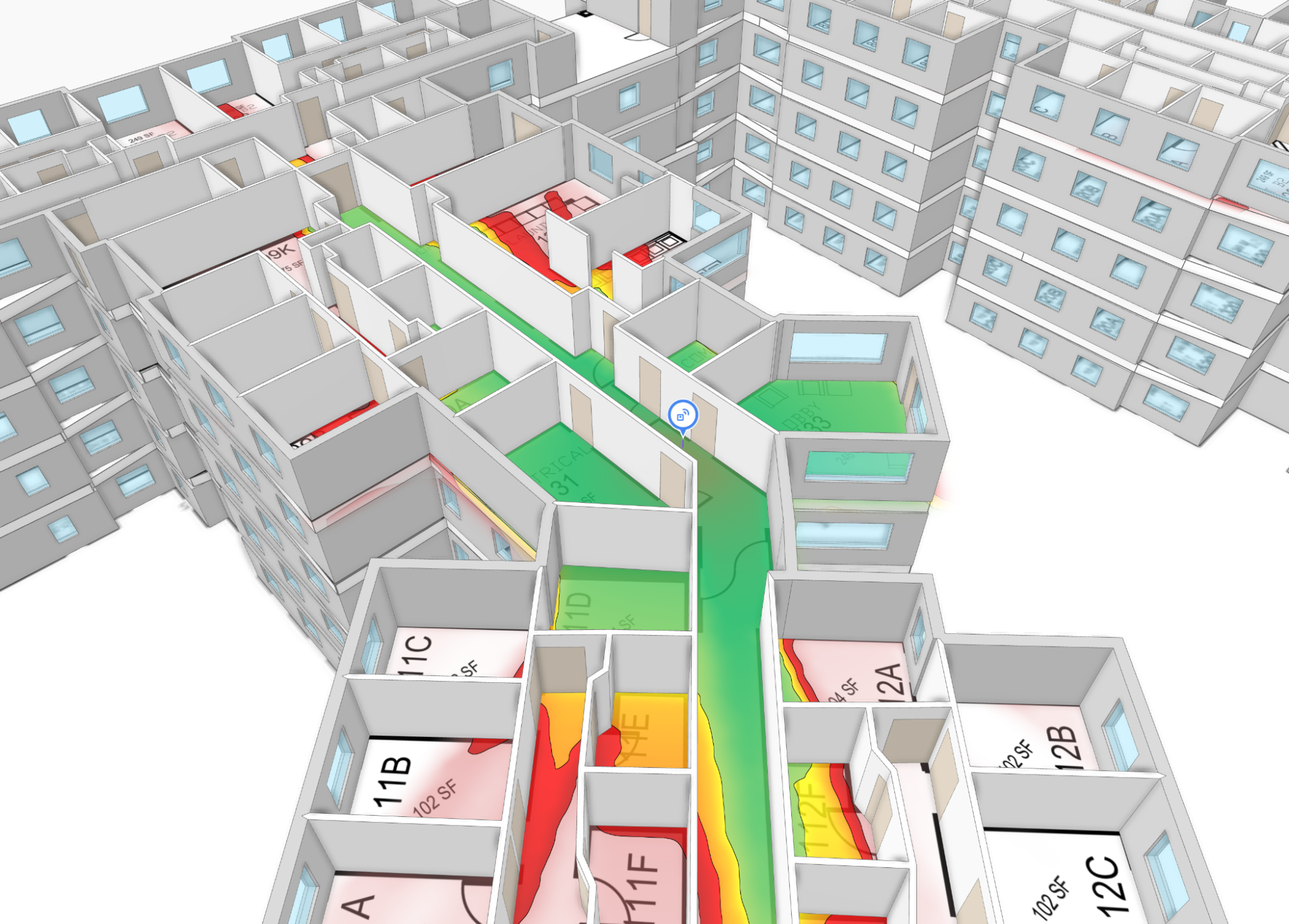
Manually tracing walls is one of the most tedious parts of a wireless engineer’s job. Every wall needs to be drawn accurately and assigned the right material. This is slow, repetitive, and error-prone. We’re introducing an industry-first feature to cut this time down to a fraction.
Hamina Planner now includes Automatic Wall Material Detection: a purpose-built machine learning model that identifies walls in a floor plan image and groups them by their visual style, ready for quick material assignment and RF modeling. In addition to grouping walls by visual style, we also give an initial best guess material/type assignment for each group. We unveiled this feature on stage at WLPC Phoenix 2026, and it’s available in beta now.
Here’s what we built, what we tried, and what ultimately worked.
Manual Wall Drawing
A concrete exterior wall attenuates differently from a glass partition or a drywall interior wall. The final network design depends on modeling these differences accurately. This workflow used to be fully manual: wireless engineers had to draw every wall segment by hand.
In 2025, we released Automatic Wall Tracing in Hamina, which lets users import all walls at once. That was a major speedup, but it still required configuring the material and type of each segment individually.
We kept asking ourselves: what if we could take a floor plan image and group walls by their visual style?
Approaches We Explored
We evaluated three different approaches before arriving at the final solution we shipped.
Traditional Edge Detection
When thinking about recognizing walls from an image, traditional computer vision techniques are the obvious solution: morphological transformations, edge detection algorithms, Hough transforms. However, in our task, the results were noisy and inaccurate. These methods lack understanding of floor plan structure: they have trouble distinguishing what constitutes a wall versus a piece of furniture, or a text label, so you’re constantly trading off missed segments against false positives.
Large Language Models
We also explored using large language models, which are increasingly capable at interpreting floor plans. Compared with traditional methods, they showed much better structural and contextual awareness. It was even possible to group walls by their type and leave out things like furniture and railings. However, the geometric or grouping accuracy didn’t meet what we needed for RF propagation. While LLMs are improving quickly, they don’t provide an accurate enough solution for our industry-specific needs.
Custom ML Model
So we chose to start building our model from scratch, specifically for this task. It produces clean, grouped walls with accurate geometry. We trained it with a comprehensive and representative dataset, making the final model understand what a wall looks like across floor plans of different styles, from hand-drawn sketches to highly-detailed CAD files.
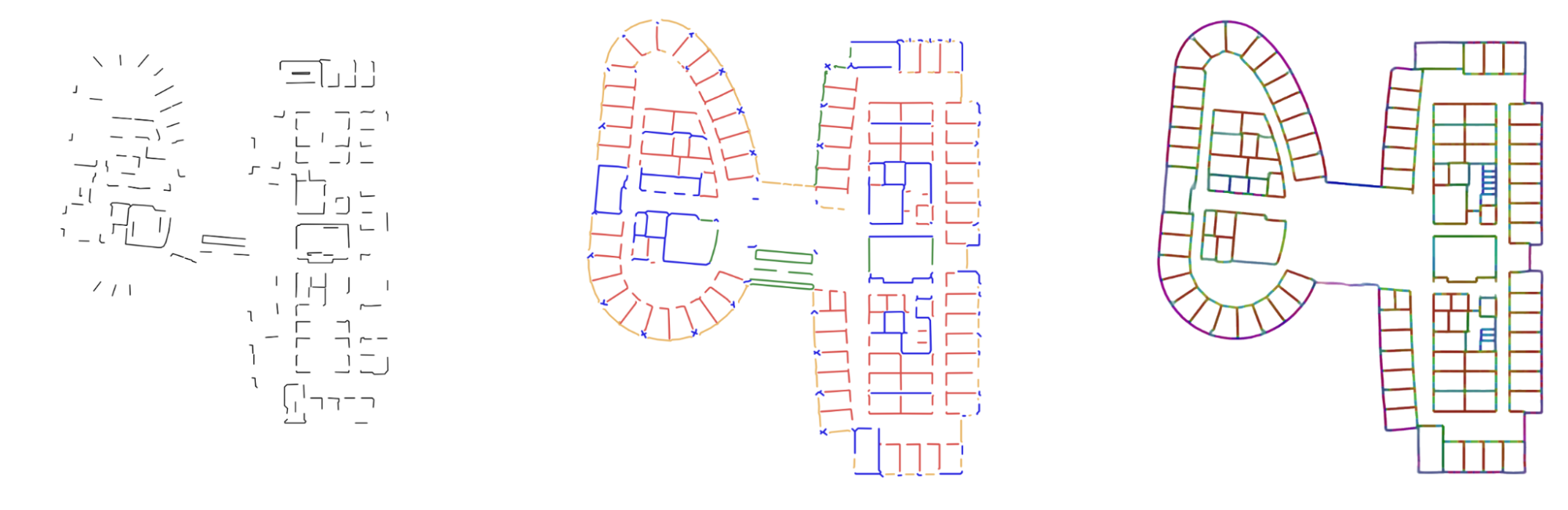 Traditional edge detection: fragmented line segments with no structural understanding. LLM output: structurally aware but inaccurate in materials. Our ML model: clean, accurately grouped walls.
How the Model Works
The model takes a floor plan image as input and performs three tasks: it predicts where the walls are, which walls belong to the same group, and the initial material/type for each group.
Wall grouping is the key feature of this model. Walls drawn using the same visual style will be grouped together. For example, exterior concrete walls may form one group, interior drywall another, and glass walls in a third. Once the model detects and groups walls, assigning RF attenuation values becomes fast: instead of assigning individually to all walls, it is enough to configure the types of the 10 to 15 extracted groups.
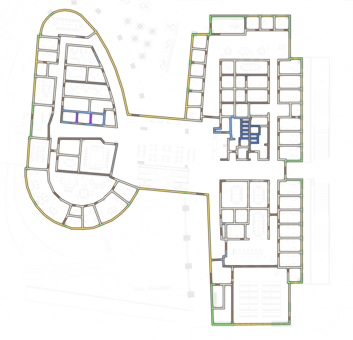
Wall groups produced by the model, each color representing a different wall group
During training, the model compares its predictions against human-annotated ground truth and adjusts its internal parameters. Over training, it learns general patterns that transfer across floor plan styles it has never seen before.
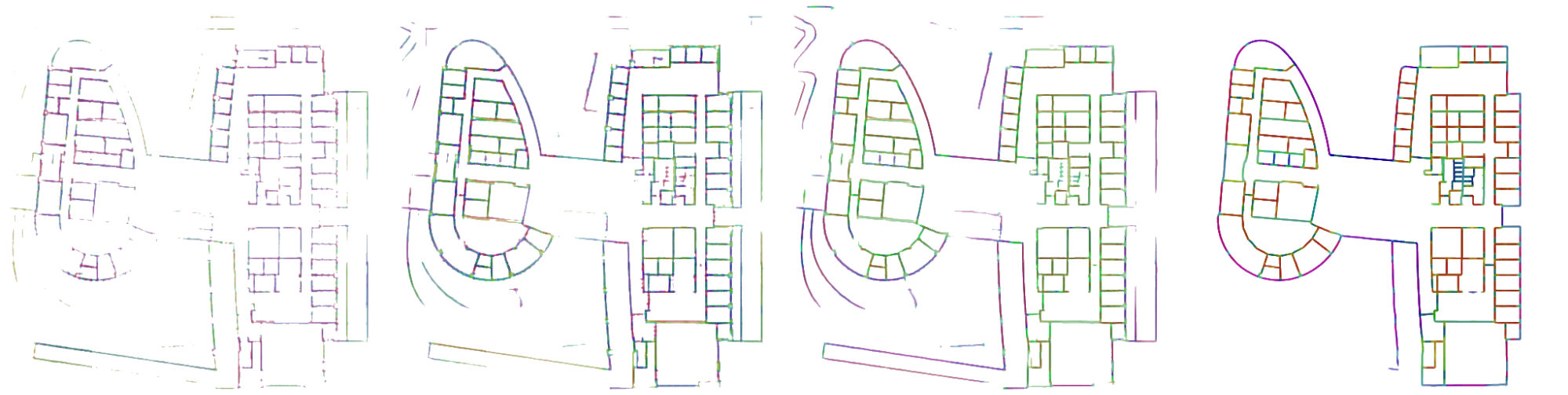
The model’s output improving across training iterations
Building the Dataset
We focused on building a comprehensive dataset, since data quality is the single most important determinant for model accuracy. We assembled a large, diverse, and carefully annotated dataset: thousands of floor plan images spanning various indoor environments from offices to warehouses to hospitals.
Five dedicated annotators were trained specifically for this task, each annotating thousands of wall segments per day using a custom annotation tool. Over the course of the project, the team annotated millions of wall segments.
Every wall segment was carefully labeled and reviewed. This is crucial to achieve a strong training signal across floor plan styles.
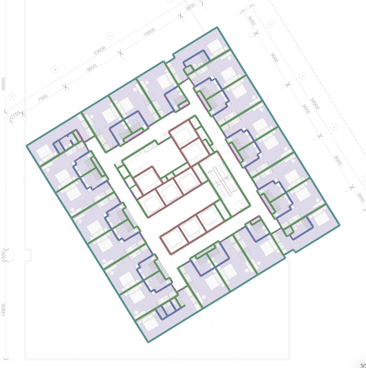
An annotated floor plan
Training
The model was built with PyTorch and trained on a single high-end GPU. Over the course of five months, we ran over 200 training runs totaling thousands of GPU hours. The final production training run took about two days.
We ran three parallel initiatives throughout the project: data annotation (continuously expanding the dataset), model development (architecture experiments and training runs), and UX/full-stack development (integrating the feature into Hamina Planner). This approach allowed us to move from project kickoff to beta in a year.
Architecture and Integration
When a user uploads a floor plan in Hamina Planner, the image is sent from the browser to a GPU server that runs model inference. The raw predictions are then passed to a Python post-processing pipeline that cleans up the raw geometry and finalizes the grouping. The results are stored in the database and sent back to the browser, where walls appear ready for material assignment and RF propagation modeling.
From the user’s perspective, it’s simple: upload a floor plan, wait 10–30 seconds (depending on load), and the walls appear.
Limitations
Automatic Wall Material Detection is in beta. It's still actively being developed and may have bugs, so we don't recommend relying on it for production work just yet. Some known limitations we're working on:
- Very low-resolution floor plans produce less reliable results than high-resolution ones
- Window detection still needs improvement on many floor plan styles
- Very long or curved walls may not always be detected reliably
We're continuously fine-tuning the model to improve accuracy across the board.
Security
All processing occurs within Hamina's secure infrastructure, with data encrypted in transit and at rest, consistent with our SOC 2 Type II and ISO 27001 certifications. See our security documentation for details.
Availability
Automatic Wall Material Detection is available in beta as of February 2026.
Here’s how the project came together:
- March 2025: Annotation work began
- September 2025: Model training started
- February 2026: Beta launched at WLPC Phoenix Feb 17–19, 2026
If you’d like to try the feature, head to Hamina Planner, enable the beta, and upload a floor plan.
