Reporting isn't the feature you lead with in a demo. But it's an important factor to consider when choosing your wireless design tool. Reports are what your clients and leadership see: they should be easy to share, update, and customize.
Hamina's reports are interactive and online. Just send a link, and the recipient can drill into dynamic heatmaps and network configurations and find what they actually need. And yes, sometimes they just want a PDF. That works too.
We know we haven't talked about this enough, and it's been one of the most-requested areas for updates. We heard you. Here's what's new.
Custom Tables
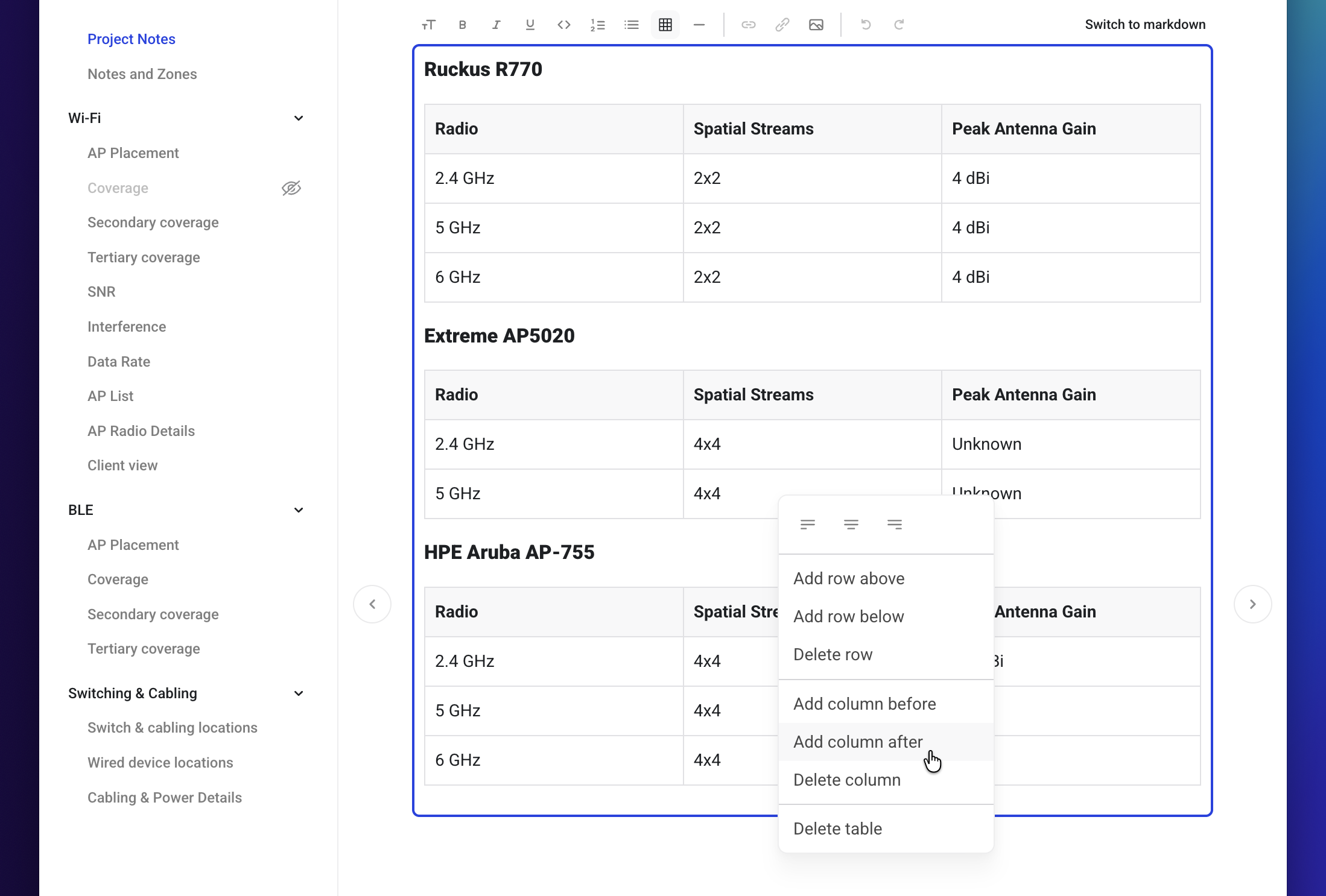
You can now create tables in Project Notes and Custom Pages in the Report Editor, both in the rich text editor and in Markdown. Right-click a table to add or remove rows and columns and change text alignment. Tables work in both the online Report Viewer and in PDFs.
We had quite a few requests for this from people building detailed design documentation inside their reports.
Reporting for Hamina Live
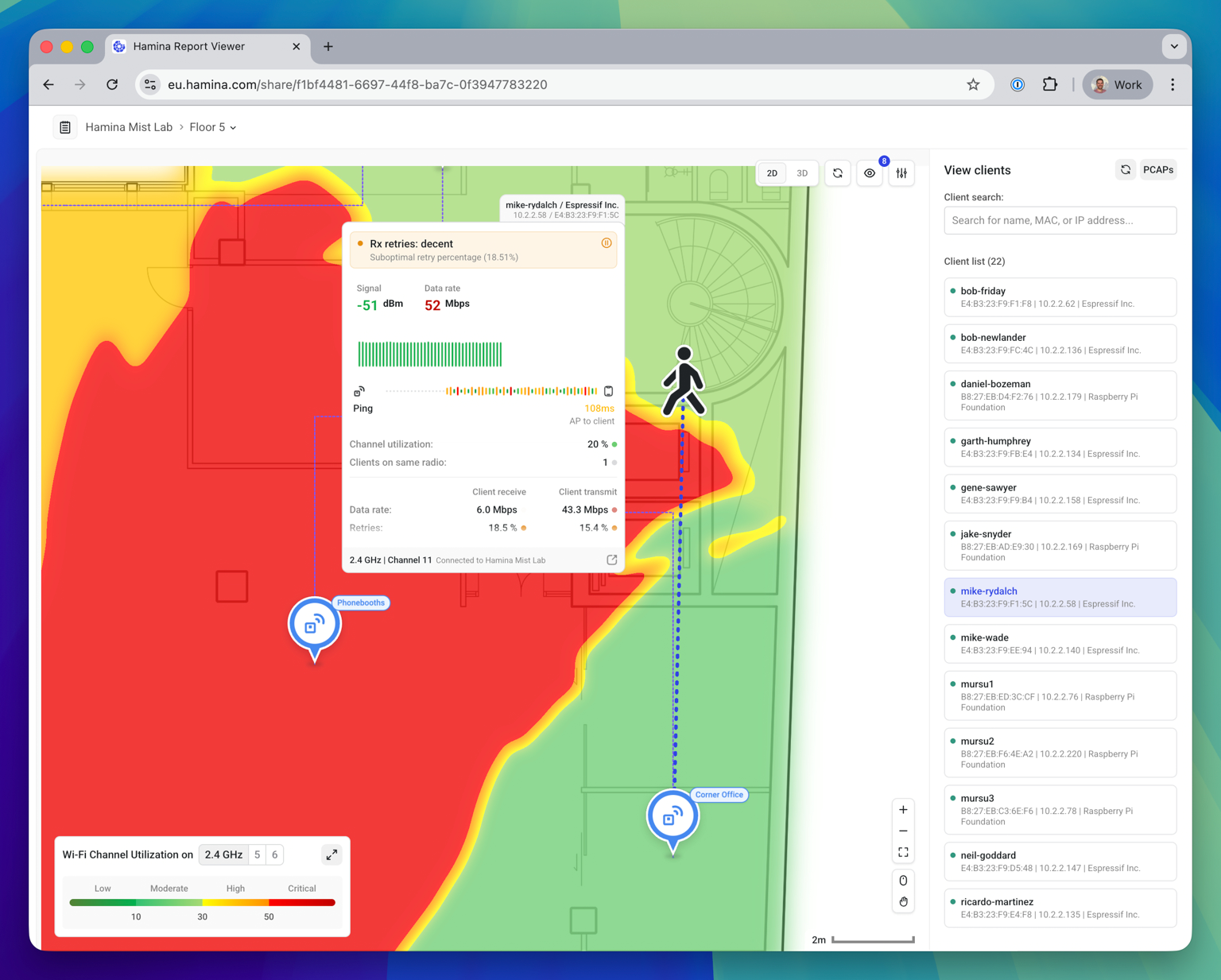
If you use Hamina Live to connect Hamina to your network infrastructure, you can now create a shareable web report for it. The people you share it with see the live data, but will have no access to your API keys and credentials.
Copy to Clipboard
To empower workflows and automations outside of Hamina, the AP List, AP Radio Details, and Bill of Materials pages now have a Copy to Clipboard button.
So, for the AP List and AP Radio Details, you can now pull the full channel plan out of Hamina and merge it into a WLAN controller config or handoff document.
Survey Explorer added to online reports
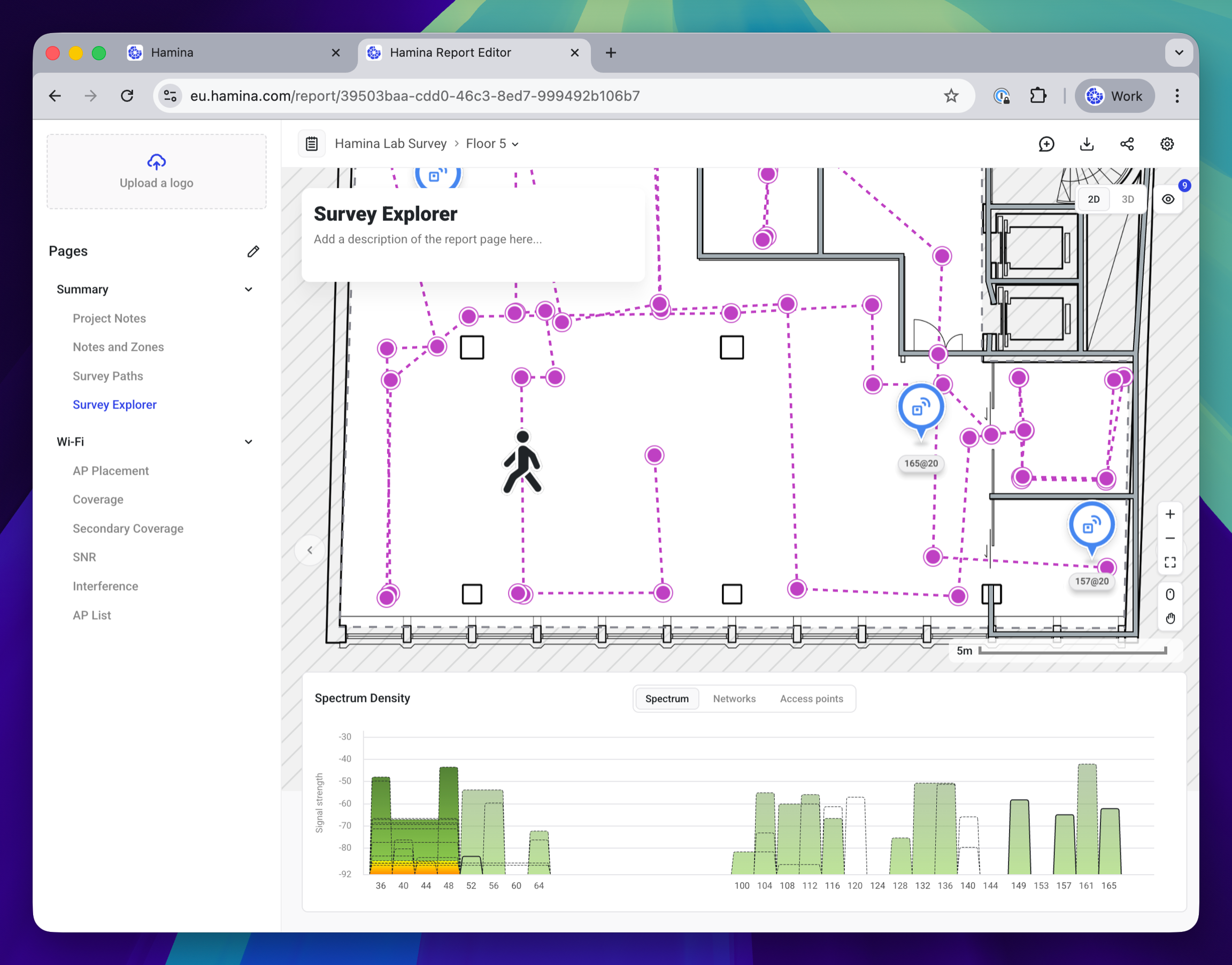
We've added the Survey Explorer page to online reports. It works exactly the same as it does in Hamina Planner - the audience you share a report with can click along the survey path to see AP signal strength, SSID data, and spectrum information without needing a Hamina account or license.
Several customers have asked for this as a way to hand richer survey data to clients and project stakeholders.
Notes save automatically
Project Notes and Custom Pages in the Report Editor now save as you type. There's no Save button to forget before switching pages.
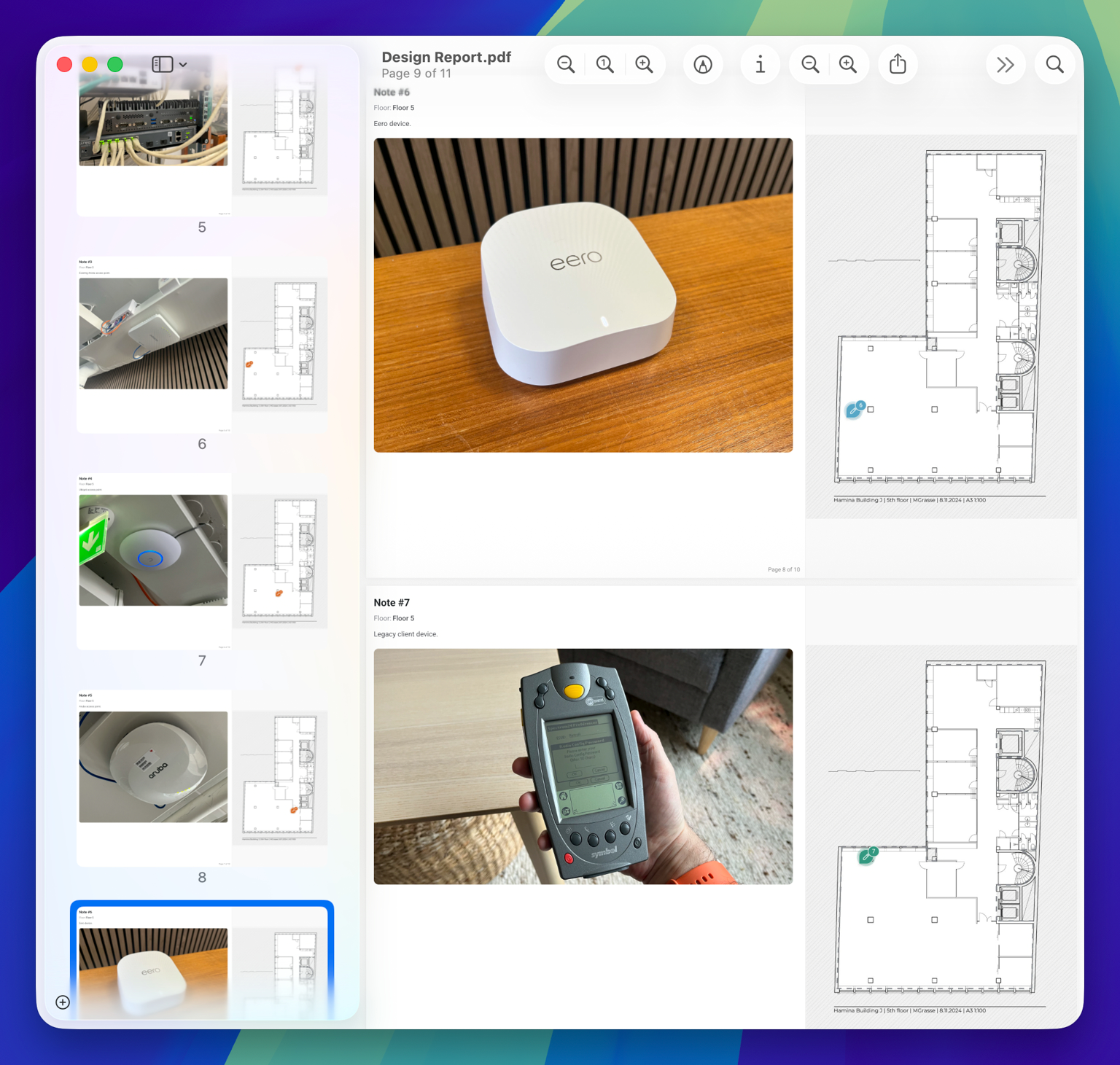
Note photos now appear in PDF reports
Photos attached to Notes are now included in the PDF report. Several customers have asked for this, particularly for as-built documentation and installation handoffs.
Customizeable layer visibility in PDF
Map layers now carry through to PDF reports, meaning whatever layers you choose to keep visible in the Report Editor are now shown in the PDF report with other layers being hidden.
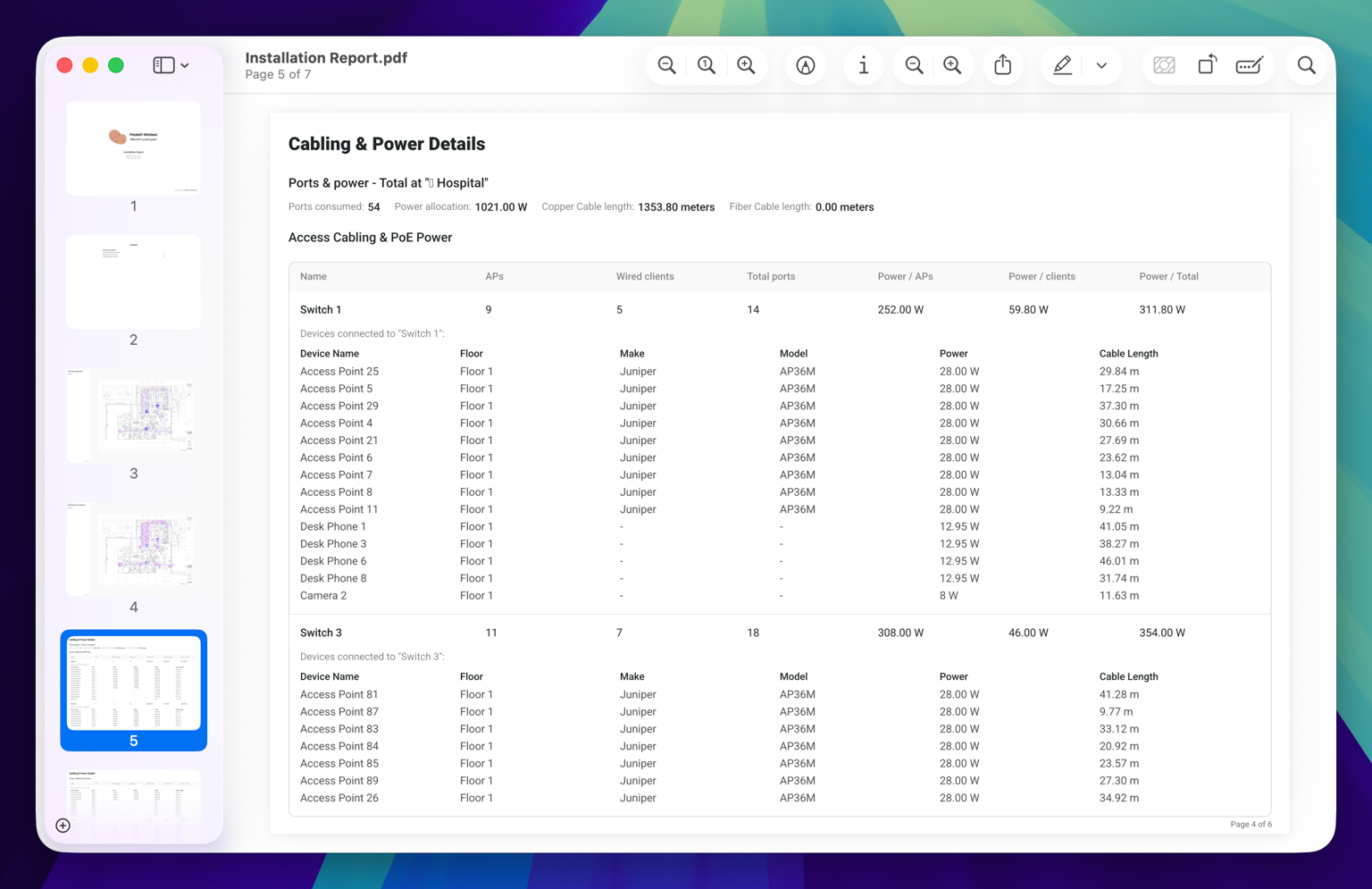
The "Devices Connected to" table is now in PDF.
It was already in the web-based Report Viewer, but the PDF version was missing it. If you're handing a PDF to an installer, they now get the full switch connection detail.
Improved layout for map pages in PDF
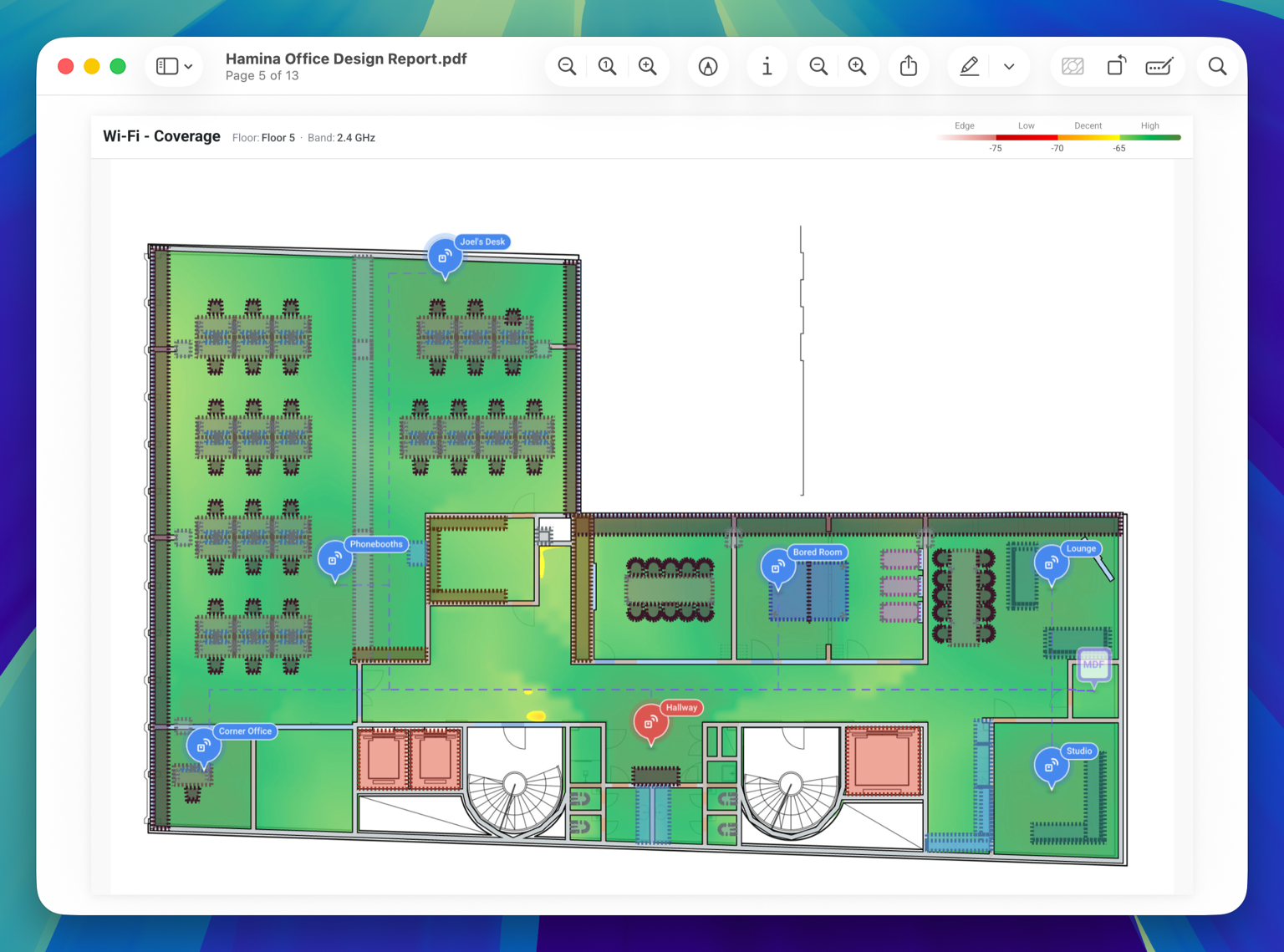
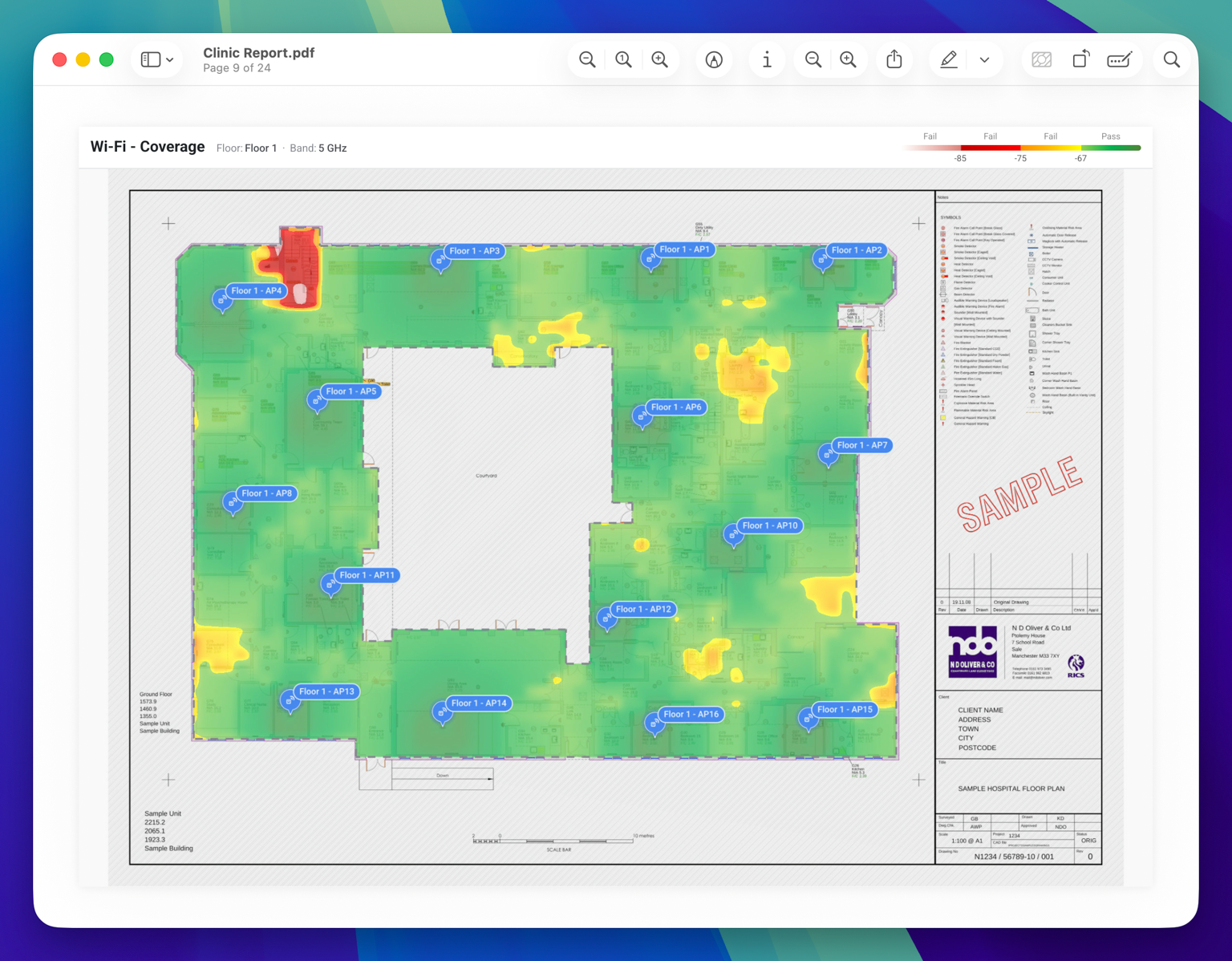
Map pages in PDFs have a new layout. There's a header on each page with the page name, map name, band, and legend, which gives the map itself more room. If you've written a custom description for a map page, it now gets its own section page rather than wasting space by repeating it on every floor and band page within that section.
And we're not done yet.
There are still a ton of new features and updates coming soon. Something missing in our reports? Check out our feedback board where you can view, vote, add, and subscribe to feature requests.
