The first half of 2026 has been a fun ride! Our biggest product launch yet, big feature releases, and many other updates that quietly change how Wi-Fi professionals work every day. This is the full roundup: what launched, what improved, and what it means for the people who use Hamina.
Whether you're doing predictive network design, running site surveys, or troubleshooting and optimizing live networks, there's something in here for you.
🎉 Introducing Hamina Clip
The biggest hardware news in Hamina's history: in January, we introduced Hamina Clip, a robust, compact, affordable Wi-Fi site survey and diagnostics device that makes professional-grade network analysis accessible to a much wider audience.
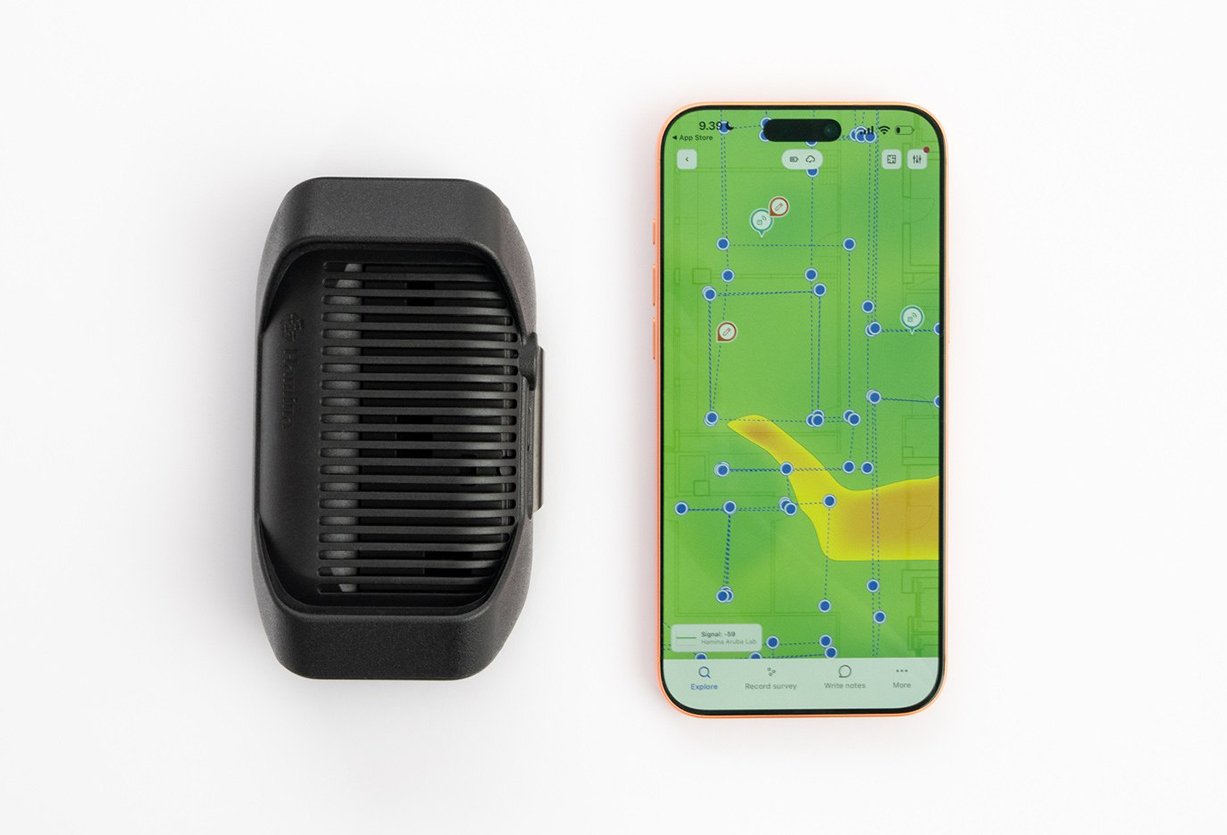
Clip attaches to a belt or strap, packs four high-quality antennas and dual tri-band Wi-Fi radios into a pocket-sized form factor, pairs wirelessly with an iPhone or iPad, and runs for over five hours on a single charge. Clip is designed for everything from quick troubleshooting calls to full site surveys in demanding environments, offices, hospitals, warehouses, and factories.
"This is such a powerful tool! Surveying without cables is so good! And the Clip is so tiny it always travels in my backpack, no more debating whether to bring my top Wi-Fi tool with me or not."
- Harry Norman, Wireless Solution Architect, Elevate
The introductory bundle, Clip plus a 6-month Hamina Onsite subscription, is priced at $990. Clip is currently shipping in the EU and UK; general availability is rolling out through summer 2026. Learn more at hamina.com/clip.
Already using other survey hardware? Hamina Onsite comes with two hardware options, Clip or Oscium Nomad. If you're evaluating your options as older survey hardware reaches end-of-support, it's worth a look: professional-grade capability at a fraction of the traditional cost.
🤖 AI That Does the Tedious Parts For You
Material Walls: AI-Powered Wall Detection, Out of Beta
Drawing walls has always been one of the necessary evils of Wi-Fi design. Our in-house, custom-built AI has been chipping away at that for a while, and this year, it took a big step forward.
Material Walls launched in beta in February and went generally available in April. Where earlier versions of auto-draw found walls, the automatic wall material detection classifies them. The AI splits any floor plan imagery (JPEG/PNG/etc.) into layers, exterior walls, interior walls, doors, windows, elevators, and more, and suggests a material for each, and lets you review and edit by category. If it guesses "Door (Wood)" and the building actually has metal fire doors, you change the whole layer in one click and move on.
Manually tracing every wall on a floor plan used to take hours. Now it takes seconds. And because it works from any image format, not just CAD or PDF files, it removes a major barrier for a lot of teams. If you want to know how the underlying ML model was built, the deep-dive post is on our blog.
Automatic Building Construction and Full Building 3D
Multi-floor buildings have always been possible in Hamina, but setting them up, scaling each floor, aligning them manually, and stacking them in the right order required some effort and time. That's no longer the case.
The Automatic Building Construction tool, introduced in April, reads the floor numbering and labeling on your plans, figures out the correct order, stacks them up, and aligns everything. Drop your floor plans into a project, open the Align Floors tool, hit Construct Building, and within moments, you can flip to 3D and see the whole building. Switch between Current floor, Below, or All floors. Enable transparent building mode to look through the structure. This works in the design canvas and the online Report Viewer, so your deliverables look as professional as your designs.
Hamina Live: Real-Time Network Analysis, Now Available as a Standalone Product
Hamina Live has been available in beta for Planner Plus subscribers for some time. In March, it came out of beta, and we also launched it as a standalone subscription for teams focused on network monitoring and troubleshooting who don't need the full design toolset.
Connect Hamina to your Wi-Fi vendor's cloud platform via API, and get a live view of your network overlaid on your floor plan. Coverage, redundancy, interference, channel utilization, connected clients, all updating in real time. Those who also do Wi-Fi planning can use the Live view as a baseline for a redesign and move to the design view in a single click.
A few things that shipped alongside and since the launch:
- Live View Reporting — Create and share a web report from the Live View, just like you can for Simulation and Survey. Recipients see the live data without ever accessing your API credentials.
- Manual client placement — Right-click any client in the Live View to pin it to a specific map location when automatic placement isn't quite right.
- Orb integration — If Orb is on your network, the Live View surfaces client RSSI data with separate Downlink (Orb) and Uplink (Vendor) views.
Hamina Live supports modern cloud-managed Wi-Fi platforms. Learn more at hamina.com/live.
Hamina Onsite: Instant Network Health Checks, Anywhere You Are
The Hamina Onsite app just got a significant update. The kind that's easiest to appreciate when you're standing in a building, wondering why the Wi-Fi feels off.
The new Status view gives you an immediate, comprehensive read on how a network is performing. Connect your Nomad or Clip, open the app, and within seconds, you have a full picture of
- Wi-Fi quality, including coverage, redundancy, interference, airtime utilization
- Network configuration details
- End-to-end internet health: Orb score, responsiveness, reliability, connection speed
- Full spectrum detail across 2.4, 5, and 6 GHz
- Every visible access point and its configuration
The combination of RF analysis and end-to-end connectivity data in a single view is something that previously meant juggling multiple tools. Now it's a few taps.
Post-Survey Channel Optimization
After a site survey, Hamina Network Planner now suggests an optimal channel plan based on your actual measurements. The Post-Survey Channel Optimizer recommends channel assignments and widths, and identifies 2.4 GHz devices that are generating interference and could simply be turned off. It's the link between "here's what we measured" and "here's what you should change".
Reporting Improvements
Reports got a lot of attention across this cycle. The highlights:
-
Custom Tables in the Report Editor
Tables are now supported on Project Notes pages and Custom Pages. Right-click to manage rows, columns, and justification. Works in rich text and Markdown, and exports correctly to PDF. -
Copy to Clipboard
The AP List, AP Radio Details, and Bill of Materials all now have copy-to-clipboard buttons in the Report Editor and online Report Viewer. Export your channel plan into a spreadsheet or hand off the BOM in seconds. -
Refreshed PDF map layout
Map pages now have a dedicated header with the page name, map name, band, and legend. Maps get more space, pages look cleaner.
The Smaller Things That Add Up
This is the part of a product update that often gets skipped, but it's where a lot of the quality lives:
- New Projects Menu
Project controls are now in dedicated buttons, with a Recent Projects list added for faster navigation. - Manual AP combining
Select multiple APs and manually merge them when automatic grouping doesn't get there on its own. Revert just as easily. - AP name parsing for Fortinet, Meter, Ubiquiti, and Ruckus. More vendors' APs now match and display correctly in survey results.
- Meraki multi-floor GPS exports
GPS coordinate markers now automatically extrapolate floor-to-floor on Meraki exports, no more manual repetition per floor. - Auto-save in the Report Editor
Project Notes and Custom Pages save automatically as you type. The Save button is gone because it's not needed. - Network Status heatmap
A roll-up heatmap available to all paid tiers that shows at a glance whether your design meets every requirement you've set, with a mouseover inspector to see exactly what's failing.
We also made significant additions to the AP and antenna database across the half — new hardware from Aruba, Extreme, Huawei, Cisco, Juniper, Celona, Fortinet, Ruckus, Siemens, Grandstream, TP-Link, and many others. If you've been waiting on a specific model, the chances are good it's in there now. Check the full release notes for the complete list.
What's Next
We'll keep building, keep shipping, and keep updating the release notes every week. If you have questions, feedback, or feature requests, hello@hamina.com is always open.
🎤And finally, the Icing on the Cake, the Cherry on Top, the Marketing Crown Jewel of the Year...
Ladies and gentlemen, we give you, The Heatmap Boys!! If you were lucky enough to miss this shenanigans on LinkedIn, your luck just ran out.
🎶 Check out the LinkedIn-exclusive Heatmap Boys debut (and hopefully the last) music video 👉
Enjoy! And please forgive us!